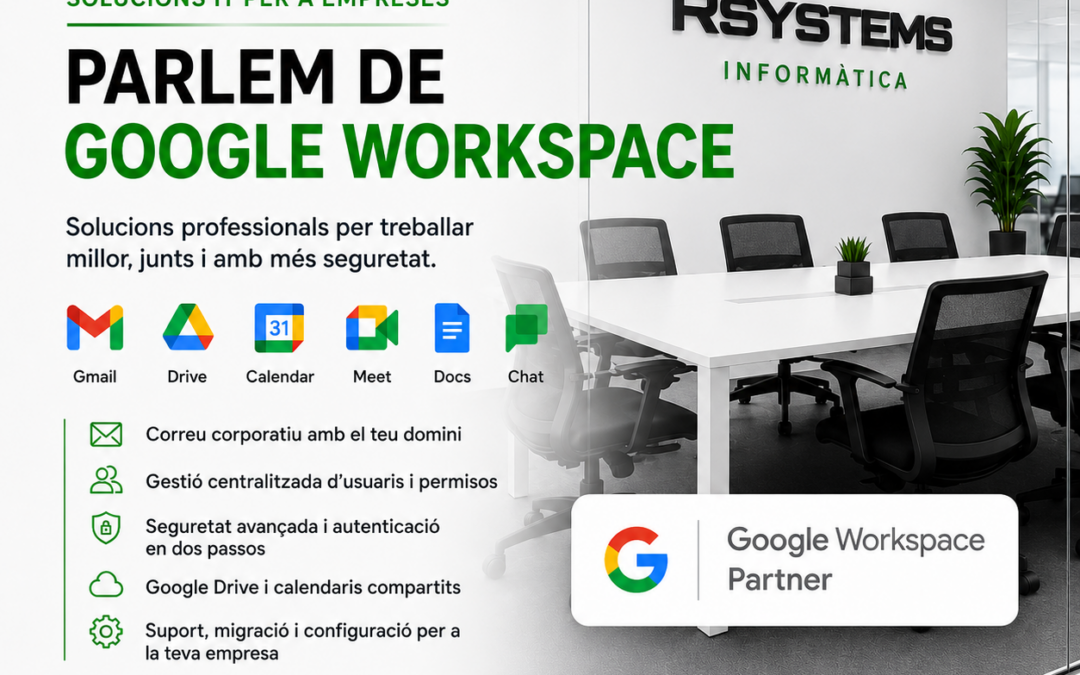
Google Workspace is one of the most widely used solutions for companies that want to work with professional email, shared documents and cloud‑based collaborative tools. It allows you to manage corporate email with Gmail, share files with Google Drive, work on documents in real time and administer users, permissions and security from a single environment.
At R-Systems Girona we help companies implement, configure and manage Google Workspace so that the transition is orderly, secure and adapted to each business’s way of working.
It’s not just about creating email accounts. A proper implementation must take into account the domain, DNS records, security, data migration, permissions, Drive organisation and basic user training.
What is Google Workspace?
Google Workspace is Google’s professional environment for businesses. It includes tools such as Gmail, Drive, Calendar, Meet, Docs, Sheets, Slides and the admin console to manage users, devices, security and services.
The main difference compared to a personal Gmail account is that Google Workspace is designed for companies: it allows you to use your corporate domain, manage users centrally, apply security policies and maintain control over the organisation’s data.
Corporate Gmail with your company domain
One of the main uses of Google Workspace is professional email with Gmail. This allows you to have addresses such as name@yourdomain.com, but with Gmail’s interface, stability and ease of use.
For email to work correctly, the domain and DNS records must be properly configured: MX, SPF, DKIM and DMARC. These records are essential to improve email deliverability and reduce issues such as spoofing, spam or messages ending up in junk mail.
What do we usually configure?
- User accounts: creation, removal, names, aliases and permissions.
- Groups and shared addresses: info@, administracion@, comercial@ or other functional mailboxes.
- DNS records: configuration of MX, SPF, DKIM and DMARC.
- Security: passwords, two‑step verification and access policies.
- Devices: email setup on computers, mobile phones and compatible applications.
Google Drive for working with shared files
Google Drive allows you to store, organise and share documents in the cloud. For many companies it is a very useful tool because it makes file access easier from different locations and enables collaborative work.
But for Drive to work well in a company, simply uploading folders is not enough. A clear structure, correct permissions and criteria are needed to prevent information from becoming scattered or shared with the wrong people.
A good Drive organisation should consider:
- Well‑structured shared folders by departments, projects or work areas.
- Reviewed permissions so each user only accesses the information they need.
- Shared drives when information must belong to the company rather than an individual user.
- Naming conventions to avoid duplicates, confusing versions and hard‑to‑find files.
- Review of external access to control who company information is shared with.
Migration to Google Workspace
Many companies move to Google Workspace after working with POP or IMAP email, old servers, personal accounts or other platforms. In these cases, the migration must be well planned to avoid email loss, interruptions or confusion among users.
At R-Systems Girona we can help with the migration process: we review the current situation, prepare accounts, configure the domain, validate email functionality and support users throughout the transition.
Before a migration, it’s advisable to review:
- Which email accounts currently exist.
- Which addresses should be kept and which can be removed.
- If there are aliases, groups or shared mailboxes.
- What email history needs to be preserved.
- How users access email: Outlook, Gmail web, mobile or other applications.
- The best moment to switch DNS records.
Security in Google Workspace
Email is one of the main entry points for many security incidents. That’s why, when implementing Google Workspace, it’s also important to review account protection and access policies.
Two‑step verification, reviewing old accounts, device control and correct domain record configuration help reduce risks and better protect company information.
This is part of a broader vision of cybersecurity for companies, especially when email is a critical daily tool.
Google Workspace or Microsoft 365?
A common question is whether Google Workspace or Microsoft 365 is more suitable. The answer depends on each company, how users work, the tools they already use and the level of integration required.
Google Workspace fits very well in companies that work heavily with Gmail, Drive, shared documents and real‑time collaboration. Microsoft 365 may be a better fit when the company relies heavily on Outlook, Excel, Word, Teams, SharePoint or highly integrated Windows environments.
At R-Systems Girona we work with both environments and can help you assess which option makes more sense for your company’s needs.
Advantages of having Google Workspace properly configured
- Professional email: Gmail with the company’s corporate domain.
- Collaborative work: shared documents, spreadsheets and presentations.
- Access from anywhere: computer, mobile or browser.
- Centralised administration: users, services, permissions and security from one console.
- Better domain control: DNS records, email authentication and identity protection.
- Scalability: user additions and removals according to company needs.
How we help from R-Systems Girona
Our goal is for Google Workspace to be not just a contracted tool, but a well‑implemented and useful solution for your company.
We can help with initial configuration, email migration, domain review, Drive organisation, security, user management, device setup and ongoing support.
We can also integrate Google Workspace into a broader technological strategy, together with IT support for companies, backups, telephony, websites and other digital tools.
Do you want to implement or review Google Workspace in your company?
If you already use Google Workspace but are unsure whether it is properly configured, or if you want to migrate your company email to corporate Gmail, we can help you do it in an organised and secure way.
At R-Systems Girona we review your current setup, propose the best configuration and accompany you throughout the process so your company can work with peace of mind.
Need help with Google Workspace?
Contact us and we’ll help you configure corporate Gmail, Drive, users, security and your professional domain.


