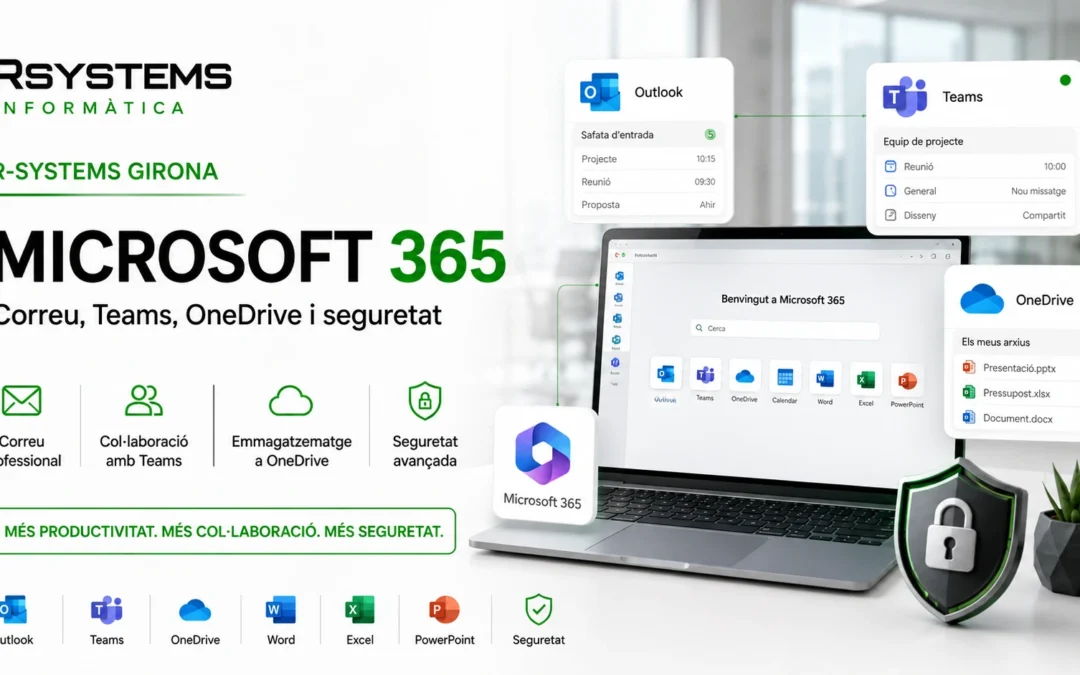
Microsoft 365 is one of the most widely used tools for companies that want to work with professional email, cloud documents, online meetings and collaborative tools. But for it to work properly, simply purchasing licenses is not enough: users, domains, security, permissions and the way the company will use each tool must be correctly configured.
At R-Systems Girona we help companies implement, manage and support Microsoft 365 environments, from initial setup to email migrations, user management, Teams, OneDrive, SharePoint and security measures.
The goal is for Microsoft 365 to be a useful tool for the company’s daily operations, not just a set of installed applications.
What is Microsoft 365?
Microsoft 365 is Microsoft’s professional environment for businesses. It includes services such as Outlook, Exchange Online, Teams, OneDrive, SharePoint and Office applications, depending on the selected plan.
It allows you to work with corporate email, share documents, hold meetings, manage teams, sync files and access information from different devices.
The important part is that all of this must be configured properly so the company has control, security and a clear structure.
Professional email with Outlook and Exchange Online
One of the main functions of Microsoft 365 is corporate email with Outlook and Exchange Online. This allows you to work with company domain addresses, professional mailboxes, calendars, contacts, synchronized devices and access from web, mobile or desktop app.
For email to work correctly, the domain must be reviewed and the necessary DNS records configured, such as MX, SPF, DKIM and DMARC. This configuration helps improve email delivery and reduce spoofing issues or messages ending up in spam.
What do we usually configure in email?
- User mailboxes: personal accounts for each employee.
- Shared mailboxes: info@, administracion@, comercial@, soporte@ or other functional addresses.
- Aliases: alternative addresses that deliver to the same mailbox.
- Permissions: access to shared mailboxes, send-as permissions and folder management.
- DNS records: MX, SPF, DKIM and DMARC.
- Device configuration: Outlook, mobile phones, tablets and web access.
Microsoft Teams to communicate better
Teams is much more than a video‑calling tool. It can be used to organize teams, channels, meetings, chats, files and internal communications.
When properly configured, Teams helps reduce internal emails, centralize conversations and improve collaborative work. But it is also important to define how teams will be created, who can invite external users and how associated files will be managed.
Common uses of Teams
- Online meetings with clients or internal teams.
- Chats between employees or departments.
- Channels for projects, areas or teams.
- Controlled file sharing.
- Communication between offices or mobile teams.
OneDrive and SharePoint: cloud documents with control
OneDrive and SharePoint allow you to store and share documents in the cloud, but it’s important to understand the difference between them.
OneDrive is mainly designed for each user’s personal files. SharePoint, on the other hand, is more suitable for team documents, departments, projects or information that must belong to the company.
A poorly planned configuration can lead to scattered documents, confusing permissions or important files stored in the wrong place. That’s why defining a clear structure from the beginning is essential.
What should be reviewed in document management?
- Which documents are personal and which belong to the company.
- Which folders should be shared by department.
- Who can access, edit or share information.
- How files are handled when a user leaves the company.
- If there is sensitive information that requires more control.
Security in Microsoft 365
Microsoft 365 contains a large amount of critical company information: email, documents, conversations, calendars, contacts and access. That’s why security is an essential part of any implementation.
Some basic measures can greatly reduce the risk of incidents: enabling two‑step verification, reviewing permissions, protecting admin accounts, controlling external access and configuring the domain correctly.
This is part of a broader vision of cybersecurity for companies.
Recommended measures
- MFA: two‑step verification to protect accounts.
- Controlled administrators: few accounts with elevated privileges.
- Review of old users: removal or blocking of accounts no longer in use.
- Coherent permissions: access only to necessary information.
- Email protection: review of domains, senders and basic policies.
- External access control: guests, shared links and collaborators.
Migration to Microsoft 365
Many companies arrive at Microsoft 365 after working with POP, IMAP, old servers, other email providers or unstructured environments.
A migration must be well planned to avoid loss of emails, interruptions, incorrect configurations or users without access on the day of the change.
At R-Systems Girona we can help prepare the migration: we review accounts, domains, mailboxes, aliases, groups, email history, devices and the migration schedule.
Before migrating, it is advisable to review:
- Which email accounts currently exist.
- Which mailboxes need to be migrated.
- If there are shared mailboxes or aliases.
- How much email history must be preserved.
- How users currently work: Outlook, webmail, mobile or other tools.
- When is the best time to make the DNS change.
Administration and ongoing support
Microsoft 365 is not something you configure once and forget. Companies change: employees join or leave, new departments are created, new needs appear, documents are shared and permissions are modified.
That’s why it’s important to have technical support that knows the environment and can help with day‑to‑day maintenance.
Common administration tasks
- User creation and removal.
- License changes.
- Creation of shared mailboxes.
- Permission assignment.
- Outlook and mobile device configuration.
- Security review.
- Support for email, OneDrive or Teams incidents.
Microsoft 365 or Google Workspace?
A common question is whether Microsoft 365 or Google Workspace is more suitable. The answer depends on how the company works, which tools users rely on and what level of integration is needed.
Microsoft 365 fits very well in companies that work with Outlook, Word, Excel, Teams, shared folders, Windows environments and Office documents. Google Workspace may fit better in companies oriented toward Gmail, Drive and web collaboration.
At R-Systems Girona we work with both environments and can help you evaluate which option is best for your company.
Advantages of Microsoft 365 for companies
- Professional email: Outlook and Exchange Online with corporate domain.
- Collaboration: Teams, meetings, channels and internal communication.
- Cloud documents: OneDrive and SharePoint for shared file work.
- Office applications: Word, Excel, PowerPoint and other tools depending on the plan.
- Security: MFA, permissions, centralized administration and account protection.
- Scalability: user additions, removals and license changes as needed.
How we help from R-Systems Girona
Our goal is for Microsoft 365 to be well implemented, well managed and aligned with the company’s way of working.
We can help with initial setup, email migration, domain configuration, Outlook, Teams, OneDrive, SharePoint, security, users, shared mailboxes and ongoing support.
We can also integrate Microsoft 365 into a broader technological strategy, together with IT support for companies, backups, cybersecurity, telephony and other digital tools.
Do you want to review Microsoft 365 in your company?
If you already use Microsoft 365 but are not sure whether it is properly configured, or if you have issues with Outlook, permissions, shared mailboxes, Teams or OneDrive, we can help you get everything organized.
At R-Systems Girona we review the current situation, detect improvement points and help you have a safer, more organized and more useful Microsoft 365 environment for your company.
Need help with Microsoft 365?
Contact us and we will help you configure email, Teams, OneDrive, SharePoint, security and technical support for your business.


