Telephony is still a key tool for many companies, but traditional PBXs often fall short. Offices with multiple extensions, mobile teams, different locations, call queues, schedules, voice prompts and call forwarding need a more flexible and easy‑to‑manage solution.
A virtual PBX allows the company’s telephony to move to the cloud, reduce dependence on old physical hardware and improve communication control.
At R-Systems Girona, through R-Systems Telecos, we help companies implement IP telephony and virtual PBX solutions adapted to their real workflow.
What is a virtual PBX?
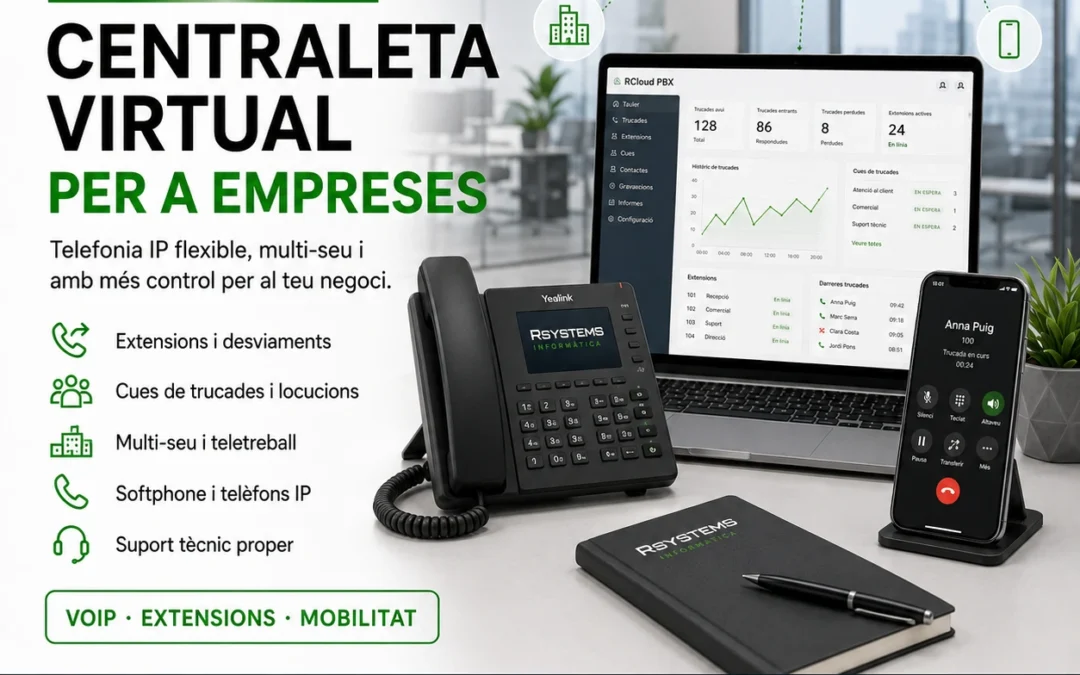
A virtual PBX is a telephony system that allows the company to manage calls from a cloud environment, without needing a traditional physical PBX in the office.
IP phones, softphones, mobile devices or extensions connect to the service and allow internal and external calls, queues, voice prompts, forwarding and schedules to be managed more flexibly.
This makes it easier for the company to grow, add extensions, connect different sites or allow certain employees to handle calls from outside the office.
Advantages of a virtual PBX for companies
A virtual PBX is not just a replacement for old telephony. It is a more modern way to organise the company’s communications.
- More flexibility: extensions, forwarding and adaptable configurations.
- Multi‑site operation: different offices can work as a single PBX.
- Mobility: the ability to work with extensions outside the office.
- Call queues: better management of incoming calls.
- Voice prompts and schedules: professional messages and routing based on business hours.
- Less dependence on old hardware: a more scalable and easier‑to‑manage solution.
IP telephony and VoIP: the foundation of the virtual PBX
IP telephony, also known as VoIP, allows calls to be made and received using data connections. This opens the door to much more flexible systems than traditional phone lines.
With IP telephony, companies can use desk phones, headsets, computer applications or mobile devices depending on their needs.
The most important thing is that the network and connection are properly prepared so voice quality remains stable.
What should be considered before implementing IP telephony?
- Quality and stability of the Internet connection.
- Correct configuration of router, firewall and internal network.
- Prioritisation of voice traffic when necessary.
- Number of extensions and simultaneous calls.
- Type of terminals: IP phones, softphones or mobile devices.
- Needs for queues, schedules, voice prompts and forwarding.
Virtual PBX for companies with multiple sites
One of the major advantages of a virtual PBX is multi‑site management. Companies with different offices, branches or work points can unify their telephony under a single structure.
This allows internal extensions to work between sites, calls to be better distributed and the company to present a more professional and coordinated image to clients.
Examples of use in multi‑site environments
- Internal extensions between different offices.
- A single main number for receiving calls.
- Queues differentiated by department or location.
- Common voice prompts for the entire company.
- Forwarding based on schedule, availability or location.
- Employees able to answer calls from different places.
Queues, voice prompts and schedules
A virtual PBX allows a more professional image in call management. Instead of relying on a phone ringing without control, the company can define how incoming calls should be handled.
Queues help organise calls when demand is high. Voice prompts can inform the caller, present the company or indicate that the call will be answered shortly. Schedules allow different behaviours depending on whether the company is open or closed.
Common features
- Welcome message.
- Out‑of‑hours voice prompt.
- Waiting queues.
- Call groups.
- Forwarding to mobile or other extensions.
- Voicemail or email notifications.
- IVR or menu options based on needs.
Mobility and remote work
A virtual PBX makes it easier for certain employees to answer calls even if they are not physically in the office. This can be useful for sales teams, managers, technicians or companies with mobile staff.
Depending on the configuration, an extension can work on an IP phone, a softphone application or a mobile device. This allows more flexible communication without losing the company’s telephone identity.
The importance of the network in IP telephony
A virtual PBX needs a solid network foundation. If the connection is unstable, the router is misconfigured or the internal network is saturated, call quality may be affected.
That’s why, when we implement IP telephony, we also review the related infrastructure: connection, firewall, switches, WiFi if needed, network configuration and quality of service.
This point is closely related to a good IT infrastructure for companies.
When is it advisable to switch to a virtual PBX?
Not all companies have the same needs, but there are situations where switching to a virtual PBX makes a lot of sense.
- The current PBX is old or difficult to maintain.
- The company has multiple sites or mobile workers.
- Incoming call management needs improvement.
- More flexible queues, voice prompts or schedules are required.
- Too much dependence on a provider or old hardware.
- A desire to reduce complexity and have more scalable telephony.
- The company wants to integrate telephony into a more modern technological strategy.
How do we work at R-Systems Girona?
Our approach is to first review how the company’s current telephony works: numbers, extensions, call flows, sites, schedules, devices, connection and real needs.
From there, we propose an adapted virtual PBX configuration: extensions, queues, voice prompts, forwarding, call groups, terminals and technical support.
We can also help with connectivity, fibre, fixed IP, network configuration and integration with other technological services of the company.
Virtual PBX within a global technological solution
Telephony should not be separate from the rest of the company’s technology. A virtual PBX works best when the network, security, connectivity and technical support are well coordinated.
That’s why at R-Systems Girona we work on telephony as another part of the company’s technological ecosystem, together with IT, networking, software, backups and technical support.
This approach allows us to offer a more coherent solution and avoid each service working in isolation.
Do you want to modernise your company’s telephony?
If your current PBX is old, you have call issues, multiple sites or need more flexible telephony, we can help you review the situation.
At R-Systems Girona we can propose a virtual PBX adapted to your company, with IP telephony, extensions, queues, voice prompts, mobility and close support.
Do you need a virtual PBX for your company?
Contact us and we’ll help you modernise your business telephony with a flexible, professional and scalable solution.


