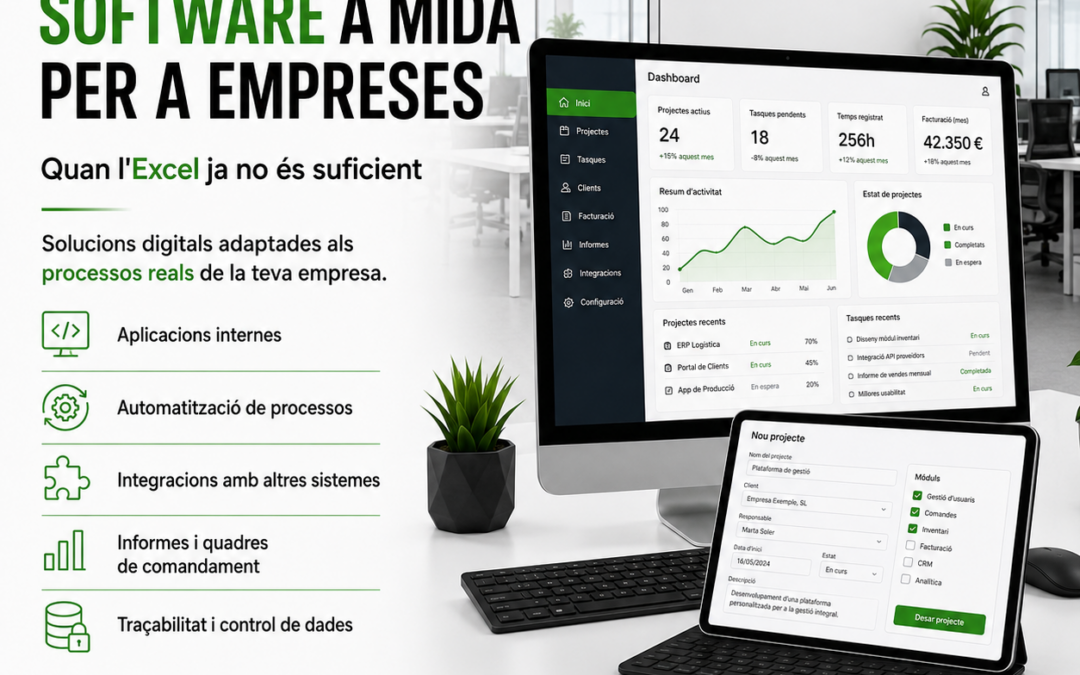
Many companies start managing internal processes with Excel, shared documents or very basic tools. At first it may work, but as the workload grows, problems appear: duplicated data, manual errors, disorganized files, lack of control and difficulty understanding what is really happening.
Custom software allows these processes to be transformed into digital tools adapted to each company’s way of working. It’s not about having a complicated application, but about creating a useful, clear solution designed to solve a specific problem.
At R-Systems Girona, through R-Systems Software, we help companies develop internal applications, automations, integrations, databases and digital tools tailored to their business.
When does a company need custom software?
A company may need custom software when generic tools no longer fit its workflow or when internal processes depend too heavily on manual tasks.
This often happens in companies that have grown over time and built their working system with spreadsheets, shared folders, emails, documents and programs that are not always connected to each other.
Signs that Excel is no longer enough
- There are multiple files with duplicated information.
- Users don’t know which is the correct latest version.
- Many repetitive tasks are done manually.
- Data needs to be copied from one program to another.
- It’s difficult to obtain reliable reports.
- Information depends too much on a single person.
- Frequent errors occur due to manual data entry.
- The company’s real process doesn’t fit well with any standard software.
Software designed for real processes
The main advantage of custom software is that it starts from the company’s real process. Before programming, it’s essential to understand how the company works, what data is managed, which users are involved and which points cause the most time loss.
From there, a simpler, clearer and more efficient tool can be built. It can be an internal application, a management portal, a database, a dashboard, a system integration or a specific automation.
The goal is for technology to adapt to the company — not the other way around.
Examples of custom software for companies
Custom software can be applied to many different areas. Each company has its own processes and specific needs, but there are situations that appear frequently.
Internal management applications
Applications to manage clients, incidents, projects, work orders, quotes, tasks, teams, documentation or internal processes that don’t fit well in a standard tool.
Business databases
Systems to centralize important company information, avoid duplicates, control permissions and make data easier to access for authorized users.
Integrations between programs
Connections between ERP, CRM, online stores, POS systems, billing software, web forms, internal applications or data tools to avoid entering the same information multiple times.
Process automation
Automations to reduce repetitive tasks: document generation, automatic alerts, email sending, data updates, report creation or information synchronization between systems.
Dashboards and reports
Control panels with clear data to help decision-making. In many cases, these solutions can be connected to tools like Power BI to visualize indicators, sales, production, margins, incidents or any other important business data.
Custom software doesn’t always mean starting from scratch
A common misconception is that custom software always requires building everything from zero. That’s not always the case. Sometimes the best solution is to adapt an existing tool, connect different programs, develop a specific module or automate only part of the process.
This is why it’s important to analyze the situation carefully before starting. The company may need a new application, but it may also simply need better integration of the tools it already uses.
Advantages of custom software
- Real adaptation: the tool is built according to the company’s process.
- Fewer manual tasks: reduces repetition, errors and administrative work.
- More control: data is more organized and accessible.
- Better tracking: reports, statuses, alerts and indicators can be created.
- Scalability: the solution can grow with the company.
- Integration: systems that previously worked separately can be connected.
The challenge: making it useful and maintainable
A custom software project shouldn’t become a tool that is difficult to maintain. That’s why it’s important to define the scope well, prioritize functionalities and build a clear solution.
It’s not always necessary to do everything in the first phase. Often it’s better to start by solving the main problem and evolve the tool as the company uses it.
This approach reduces risks, improves project control and results in a tool that is truly useful for users.
How do we work on a custom software project?
1. We analyze the process
We first understand how the company works, what problems it has, what data it uses and what result it needs.
2. We define the solution
We propose a clear structure: functionalities, users, permissions, data, screens, integrations and project phases.
3. We develop and test
We build the solution, run tests and adjust the functionality so it fits the real process.
4. We implement and support
We put the tool into operation, help users and provide ongoing support for questions, improvements or future evolutions.
Custom software, integrations and automation
Many projects are not just a new application. They often combine custom software with integrations, automations and data exploitation.
For example, a company may need an internal application that collects data from a form, stores it in a database, generates a document, sends an email alert and then displays indicators on a dashboard.
This type of solution allows processes to be connected and significantly reduces manual work.
When is it worth investing in custom software?
Custom software makes sense when the cost of continuing to work manually is higher than the cost of organizing and automating the process.
This can happen when many hours are spent on repetitive tasks, errors cause problems, there is a lack of control, difficulty growing or excessive dependence on unreliable files and processes.
In these cases, a well‑designed tool can have a direct impact on the company’s efficiency.
Do you want to know if your company needs custom software?
If you have processes that depend too much on Excel, emails, manual documents or programs that don’t communicate with each other, we can help you assess whether it makes sense to develop a custom solution.
At R-Systems Girona we review the current situation, detect improvement points and propose a realistic solution adapted to your company’s process and pace.
Do you need a tool adapted to your business?
Contact us and let’s talk about how we can transform manual processes into useful, controlled and scalable software.


